Setting Up Nextcloud for the First Time
Files
Beginner
5 min read
Published: May 7, 2026
Was this helpful?
Help us improve our community guides.
Help us improve our community guides.
Collaborating on Documents in Nextcloud — Step-by-step guide for your LocalNode.
Connecting Nextcloud to External Storage — Step-by-step guide for your LocalNode.
Setting Up Nextcloud Talk for Private Family Chat — Step-by-step guide for your LocalNode.
Nextcloud is your own private Google Drive and Dropbox. It allows you to sync files across all your devices, share documents with family, and edit files right in the browser.
While Nextcloud is incredibly powerful (it even includes calendars and video calling), its primary function is file storage. When you drop a PDF into the Nextcloud folder on your laptop, it instantly syncs to your LocalNode, making it immediately available on your phone.
The first time you launch Nextcloud, you need to create the master account.
http://localnode.local.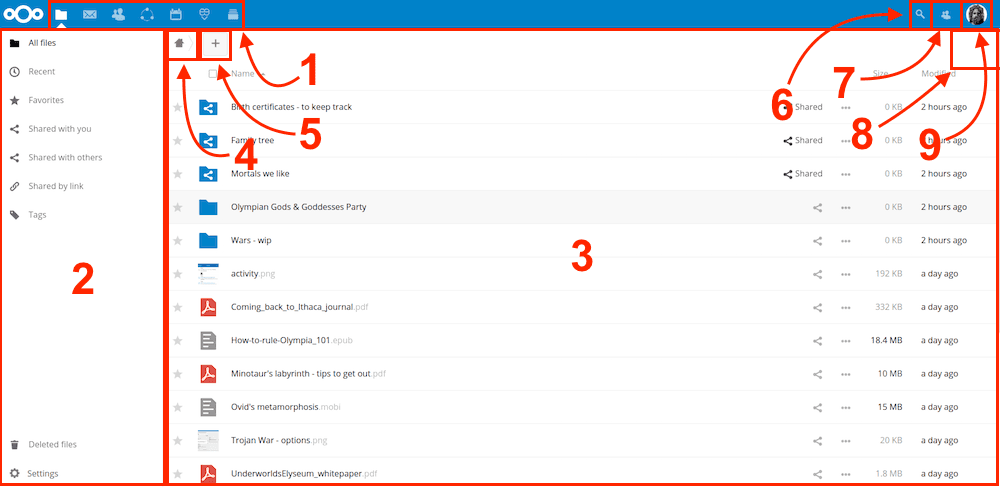
Just like Google Drive, everyone in your family should have their own private storage space.
💡 Tip: You can create "Groups" (like "Family" or "Parents") in the Users menu. This makes it very easy to share a document with everyone at once.
The best way to use Nextcloud is via the desktop sync client, which integrates directly into Windows Explorer or Mac Finder.
http://localnode.local:8080 (Make sure to include the port if your LocalNode requires it, or just use the URL provided in your main dashboard).⚠️ Warning: If you are away from home, the desktop app will pause syncing unless you connect to your WireGuard VPN.
Need help? Email hello@localnode.tech or visit localnode.tech/contact.